Development version (next)#
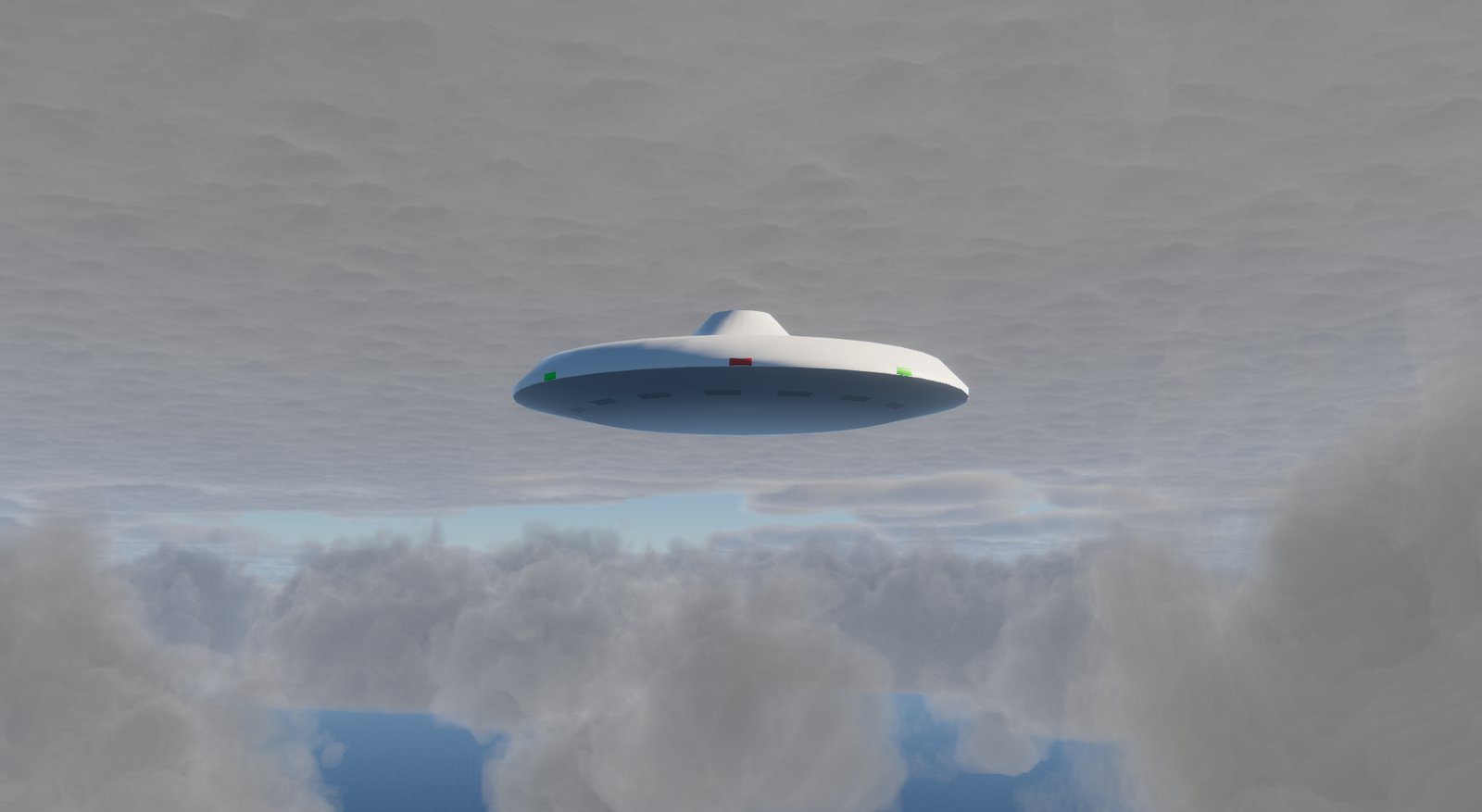
The FlightGear development version (branch next, 2024.2) brings volumetric clouds, WS 3.0 scenery and physically based rendering. Here it runs next to the stable version without touching it. The background is in the blog post FlightGear next: Dash 8 adapted for the development version (German).
Install#
The nightly build is available at flightgear.org/download/nightly. The data comes from the next branch. A separate settings folder (FG_HOME) keeps both versions apart.
Download the AppImage from the page above to $HOME/FlightGear-next, then:
FG_NEXT="$HOME/FlightGear-next"
mkdir -p "$FG_NEXT/home" && cd "$FG_NEXT"
chmod +x flightgear-*-linux-amd64.AppImage
git clone --depth 1 -b next https://gitlab.com/flightgear/fgdata.git fgdata
cat > start-next.sh <<'SCRIPT'
#!/bin/bash
D="$HOME/FlightGear-next"
export FG_HOME="$D/home"
exec "$D"/flightgear-*-linux-amd64.AppImage --fg-root="$D/fgdata" --enable-terrasync --launcher=false "$@"
SCRIPT
chmod +x start-next.sh
Install the Windows installer from the page above into its own folder, for example C:\FlightGear-next. Then in PowerShell:
$FG_NEXT = "C:\FlightGear-next"
New-Item -ItemType Directory -Force "$FG_NEXT\home" | Out-Null
git clone --depth 1 -b next https://gitlab.com/flightgear/fgdata.git "$FG_NEXT\fgdata"
@'
$env:FG_HOME = "C:\FlightGear-next\home"
& "C:\FlightGear-next\bin\fgfs.exe" --fg-root="C:\FlightGear-next\fgdata" --enable-terrasync --launcher=false @args
'@ | Set-Content "$FG_NEXT\start-next.ps1"
--launcher=false matters, otherwise the program asks for the data folder on startup.
Start#
"$HOME/FlightGear-next/start-next.sh" --fg-aircraft="$FG_BASIS/Aircraft" --aircraft=dhc-8-200 --airport=EDDE
& "C:\FlightGear-next\start-next.ps1" "--fg-aircraft=$env:FG_BASIS\Aircraft" "--aircraft=dhc-8-200" "--airport=EDDE"
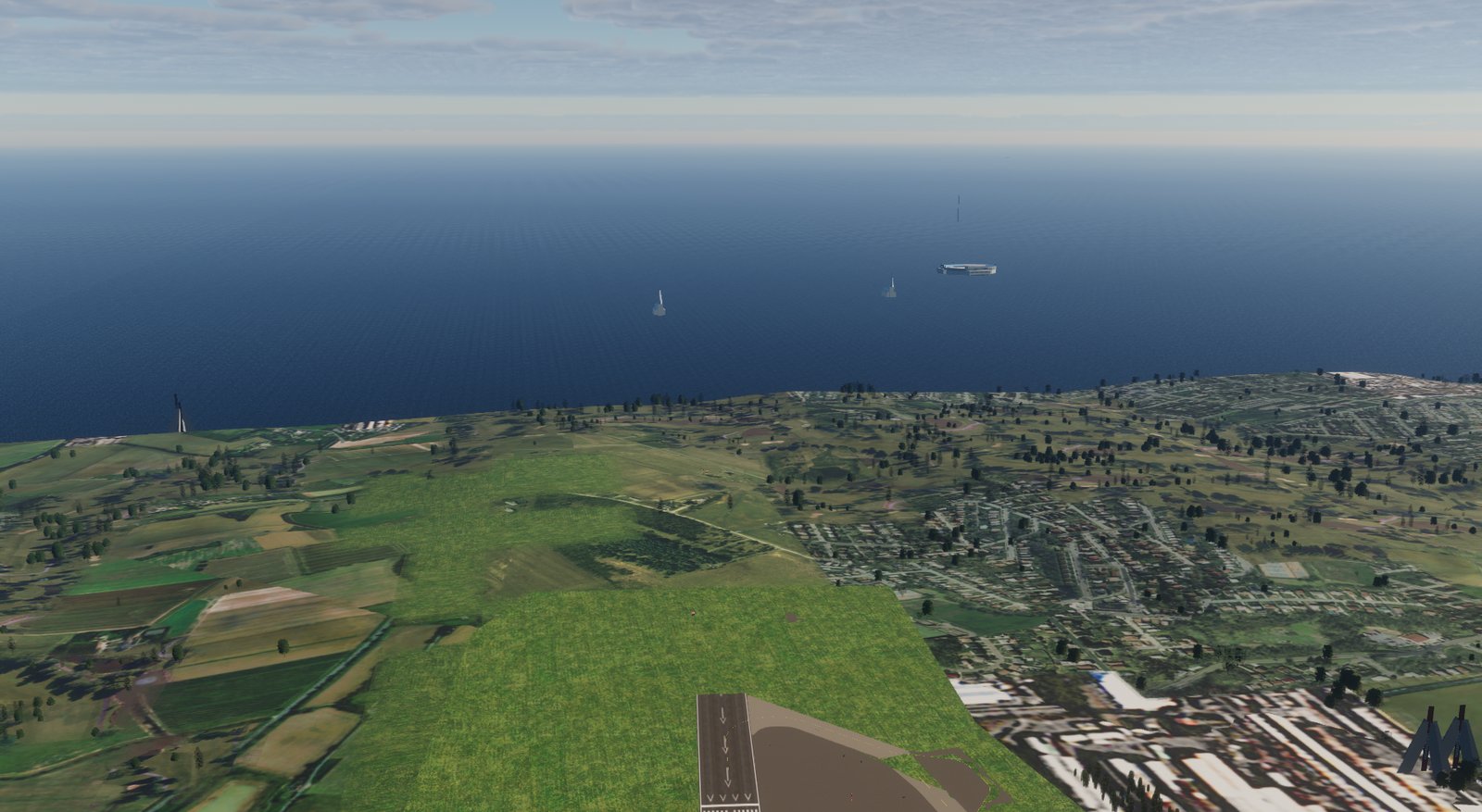
Your own aircraft come from the stable installation via --fg-aircraft; FlightGear does not write there. next shows the old WS 2.0 scenery only partly: objects and elevation are right, but the ground is drawn as water. With --enable-terrasync next downloads WS 3.0 scenery into its own folder TerraSync_WS3.
Adapting aircraft for both versions#
Four things went wrong with the Dash 8. None of the fixes changes the look in the stable version.
What you see |
Cause |
Fix |
|---|---|---|
no livery |
the |
add a |
display green, text red |
grayscale PNG with alpha |
save as RGBA |
white disc instead of glass |
transparency only in the material ( |
transparency via a texture |
white placards |
label surfaces without an effect |
|
Livery#
Add a second animation with the same objects next to the old one. The stable version skips pbr.
<animation>
  <type>pbr</type>
  <object-name>fuselage</object-name>
  <base-color-texture-prop>/sim/model/livery/texture</base-color-texture-prop>
</animation>
Grayscale textures#
Make a copy of the aircraft folder first. The script needs Pillow.
import pathlib, sys
from PIL import Image

for f in pathlib.Path(sys.argv[1]).rglob("*.png"):
    im = Image.open(f)
    if im.mode in ("L", "LA"):
        target = "RGBA" if im.mode == "LA" else "RGB"
        im.convert(target).save(f, optimize=True)
        print(f, im.mode, "->", target)
Glass#
Create a small texture with alpha 0.15, add texture "glass-alpha.png" to the glass object in the AC3D file and set trans 0.000 on the material. The effect must match the object name exactly, including upper and lower case:
from PIL import Image
Image.new("RGBA", (8, 8), (204, 204, 204, 38)).save("glass-alpha.png")
<effect>
  <inherits-from>Effects/model-transparent</inherits-from>
  <object-name>ALT.glass</object-name>
</effect>
Labels#
Add all object names ending in .lit from the AC3D file to the model-transparent effect:
grep '^name ".*\.lit"' glareshieldpanel-123.ac
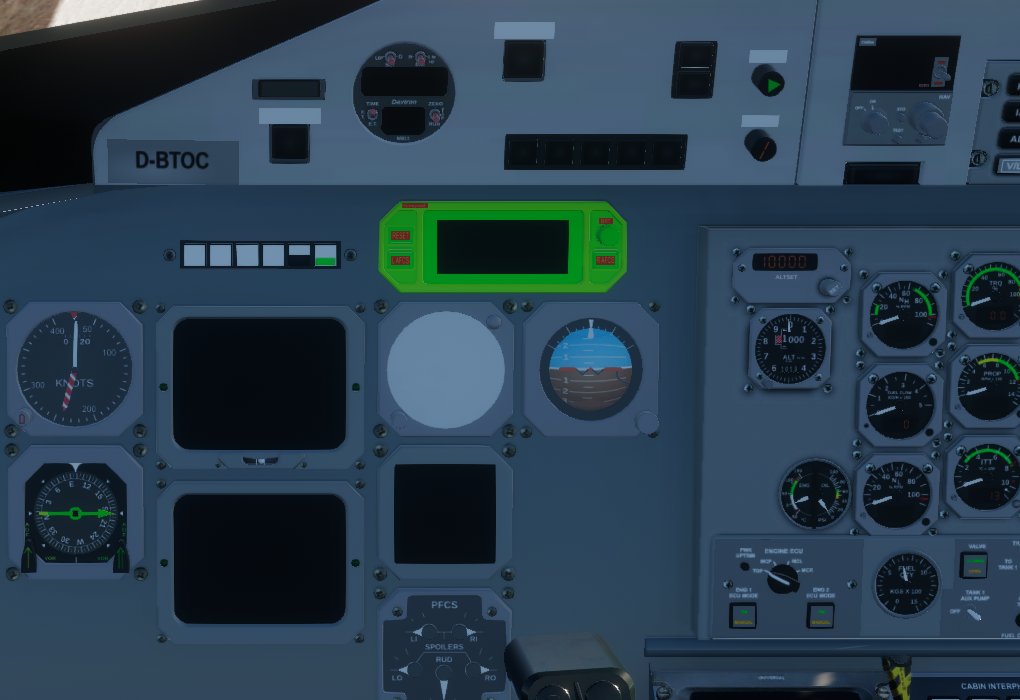
Before: green display, white disc, white placards.
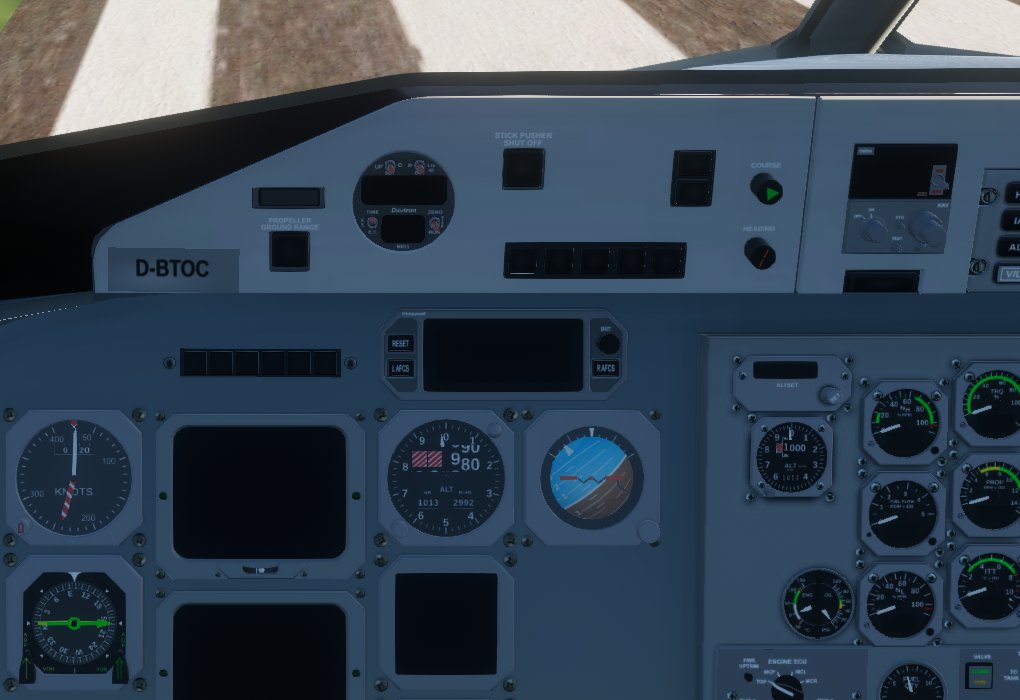
After. The Dash 8 from the patch contains all fixes.
Comparison#
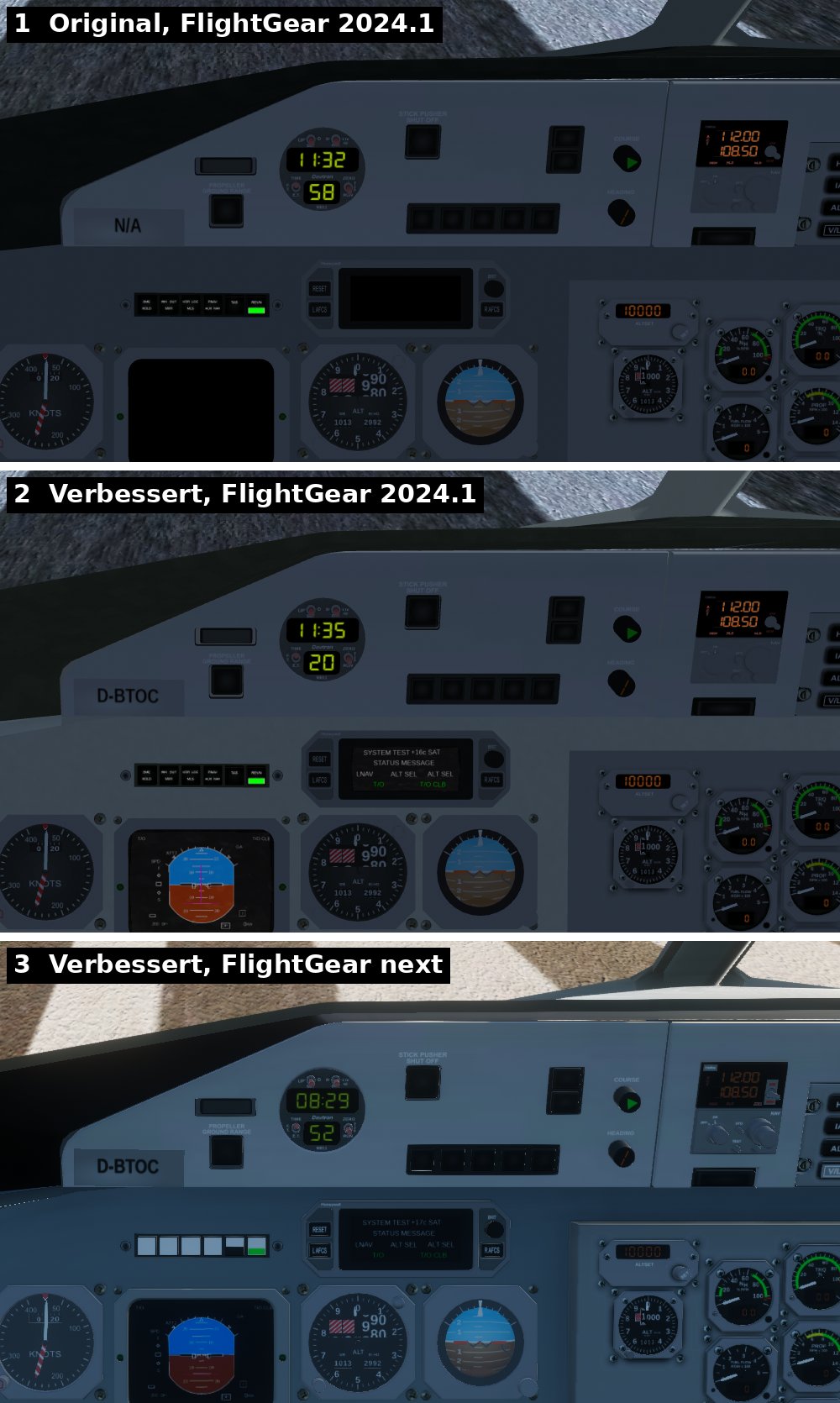
Top: the original (EADI black, ID-802 empty). Middle: the improved version in 2024.1. Bottom: the same in next. The plastic texture from the patch is set to a low strength; in next it is missing because the effect is based on the old shader.
Night lighting#
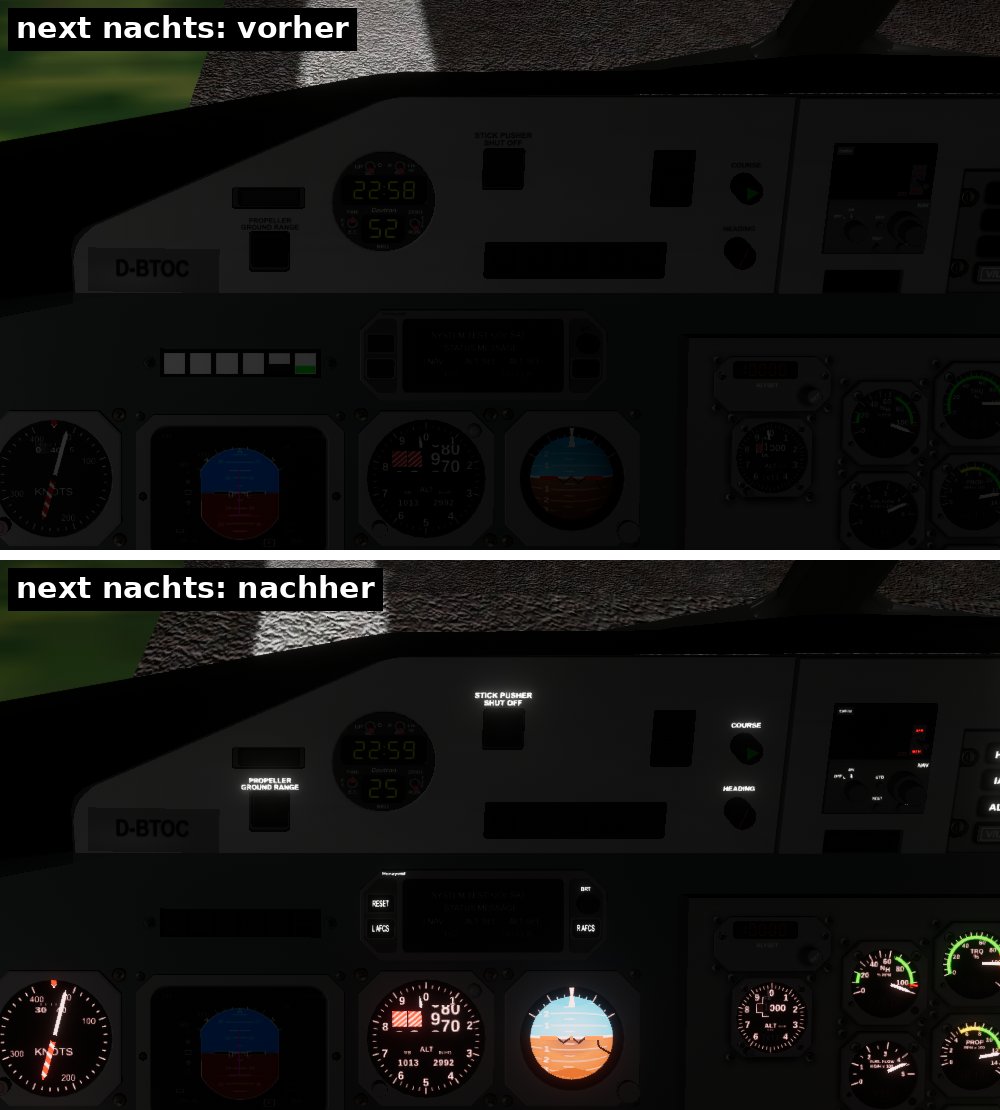
In next the shaders used for older effects set the emission to zero, and material animations have no effect. The Dash 8 from the patch therefore brings two effects of its own (lit-panel, lit-opaque): they still inherit from model-transparent or model-default and additionally carry the PBR technique from next. The brightness comes from a pbr animation:
<animation>
  <type>pbr</type>
  <object-name>glareshield_panel.200.lit</object-name>
  <emissive-factor>
    <red><property>systems/electrical/outputs/glareshield-norm</property><scale>0.02</scale></red>
    <green><property>systems/electrical/outputs/glareshield-norm</property><scale>0.02</scale></green>
    <blue><property>systems/electrical/outputs/glareshield-norm</property><scale>0.02</scale></blue>
  </emissive-factor>
</animation>
The factor is called
<scale>;<factor>is ignored.The emissive texture ignores alpha: use separate glow textures (colour × alpha), otherwise the whole placard glows.
2024.1 loads the shaders of the extra technique even though it never uses it. The patch therefore ships them under
Shaders/HDR/in the aircraft folder.Screens (canvas): an additional
addPlacement({"node": …, "texture": "emissive"}), which does nothing in 2024.1. The emission follows the sun angle (/sim/time/sun-angle-rad) because next strongly reduces exposure during the day.Warning lights keep their condition: the
pbranimation supports<condition>.
Still open#
Screens are still somewhat paler in next than in 2024.1 during the day.
The volumetric clouds still show streaks and hard edges in some places.
With
--compositor=Compositor/HDR/hdrthe whole image was grey on an AMD graphics card. Without the switch everything ran.